Stop answering status emails. Start showing progress.
Your customers don't want Jira tickets, Trello boards, or weekly email check-ins.
They want clarity.
TurboOps Tracker creates a branded, shareable status page for every client request - automatically updated as work progresses.
Domino's proved that visible progress reduces uncertainty. The same psychology applies to your service business.
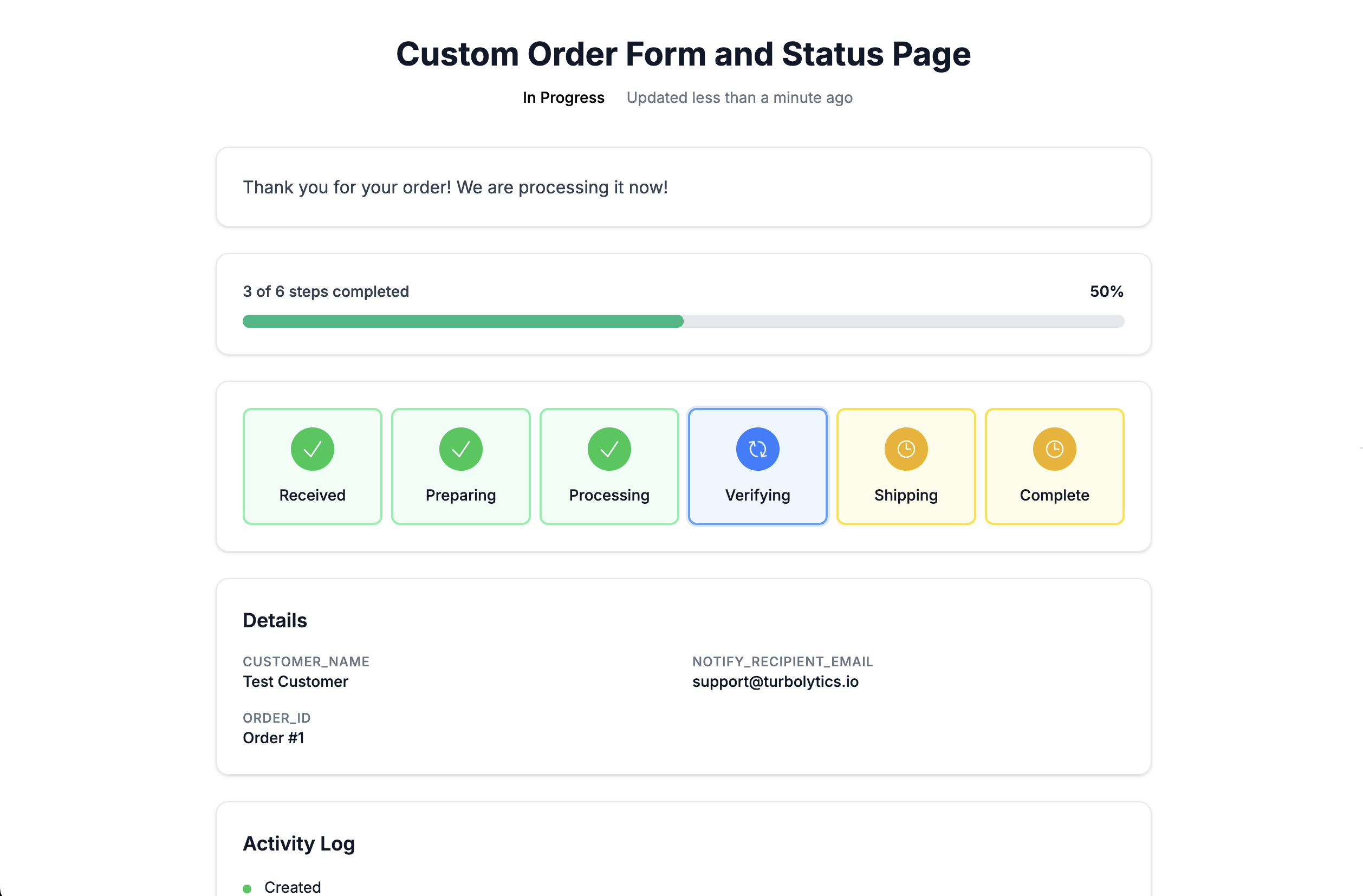
A real tracker page - customers see this, not your internal tools.
The Problem
Every service business hears it:
These aren't bad customers. They're anxious customers.
And anxiety creates email load, Slack noise, and reactive support.
The Solution
TurboOps Tracker gives every client a live progress page.
Instead of answering status questions manually...
You give clients a link.
Share this link with external users to let them track this workflow's progress.
Built for Service Businesses
If you manage projects with phases - Tracker gives you a customer-grade status layer.
Marketing Agencies
Web Design Studios
Digital Consultants
Creative Shops
Custom Manufacturers
Contractors
SaaS Onboarding
Professional Services
Manual or Automatic - Your Choice
You control how progress moves.
Manual Updates
Move stages forward when your team completes them. Click a button, client sees the change.
Auto-Transitions
Set time-based transitions for predictable workflows:
It runs itself.
Branded & Personalized
This isn't a generic "order page." It's your company's communication layer.
Clean Customer View
Expose only what customers need. Hide everything internal.
Your ops stack stays internal.
Your clients get clarity.
Reduce Support Load
Most "status check" emails happen because clients feel blind.
When Domino's launched their tracker, customers could see their pizza progress in real time. Same psychology.
Proactive Status Updates
Status updates eat hours every week. Every client wants to know where things stand, and every answer pulls you out of actual work.
The problem
With Tracker
Customers get notified automatically
Your Request Has Been Started
A new Custom Order Form and Status Page workflow has been created for you.
You can check the status of your request at any time using the link above.
This email was sent by Turbo Ops
The tracker page tells your customers where things stand - so you don't have to.
How It Works
Create a workflow template
e.g., Preparing → Processing → Verifying → Shipping
Enable Public Tracking
Configure theme, messages, and notifications
Share the link
Or let email notifications deliver it automatically
Update manually or let it auto-transition
Clients stay informed automatically
No logins required. No apps to install.
Why This Matters
Professional services are trust businesses.
Trust grows when clients feel informed.
Tracker doesn't just show progress. It shows care.